RØDE NT-USB Mini: Do You Need a Separate Recording Mic?

Keep an adequate headset or built-in mic. Consider the NT-USB Mini for recurring solo computer recording when direct wired-headphone monitoring matters to you.
If your headset or computer’s built-in microphone already gives you recordings you can use, keep it. A separate microphone is easier to justify when you regularly record your own voice at a computer and want to listen through headphones directly from the microphone.
The RØDE NT-USB Mini is one option for that routine, whether you record narrated slides, voiceovers or spoken notes. The buying decision comes down to the computer connection, wired monitoring and a workable place for the microphone, not an assumed improvement over the equipment you own.
Start with the two connections
The Mini has a USB-C socket for its computer connection and a separate 3.5 mm TRS headphone output. The headphone socket is an output for listening, not an input for another microphone.
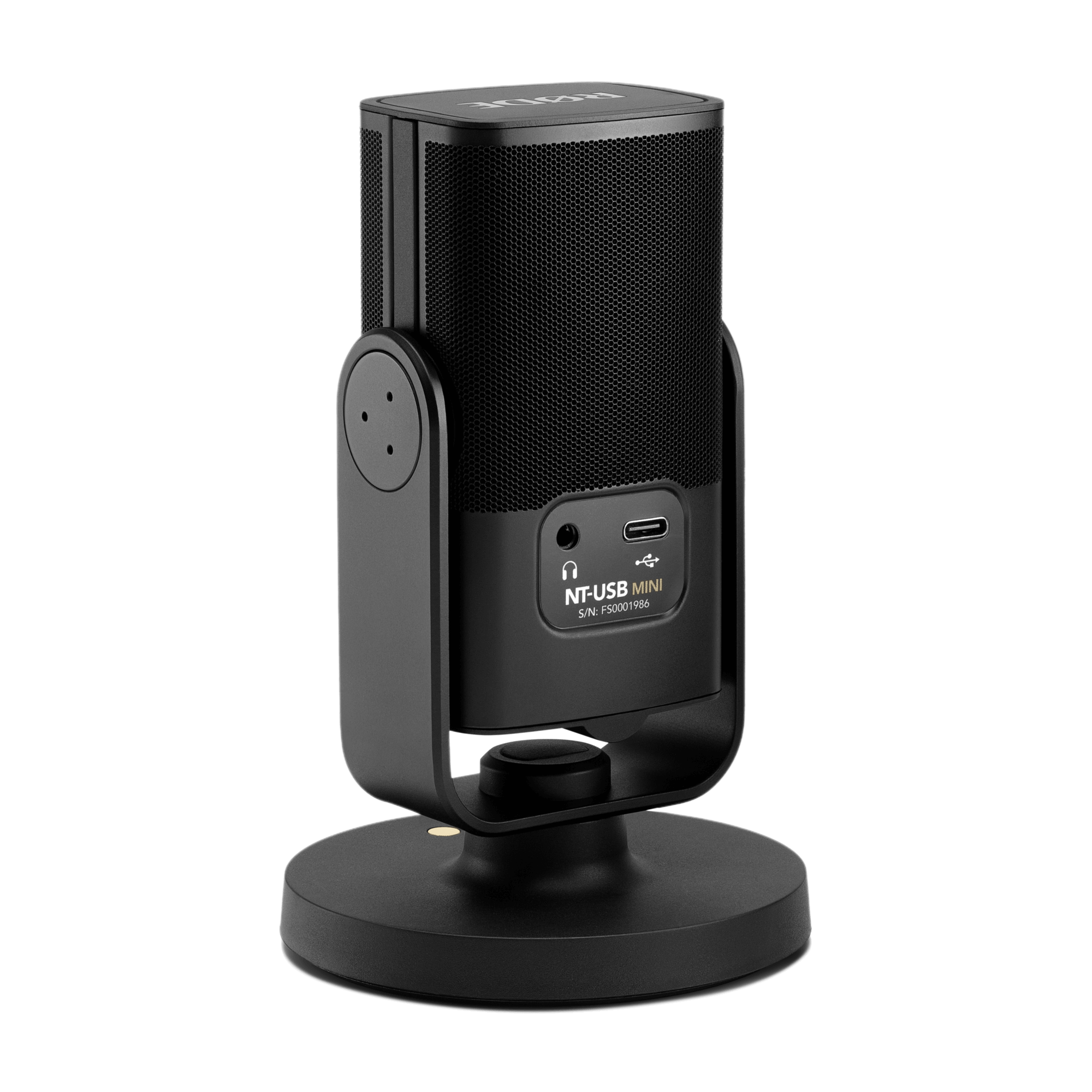
It is powered through USB. It is not a battery-powered microphone or a standalone recorder, so plan around a connected computer rather than an untethered recording session.
Check the computer end of the cable
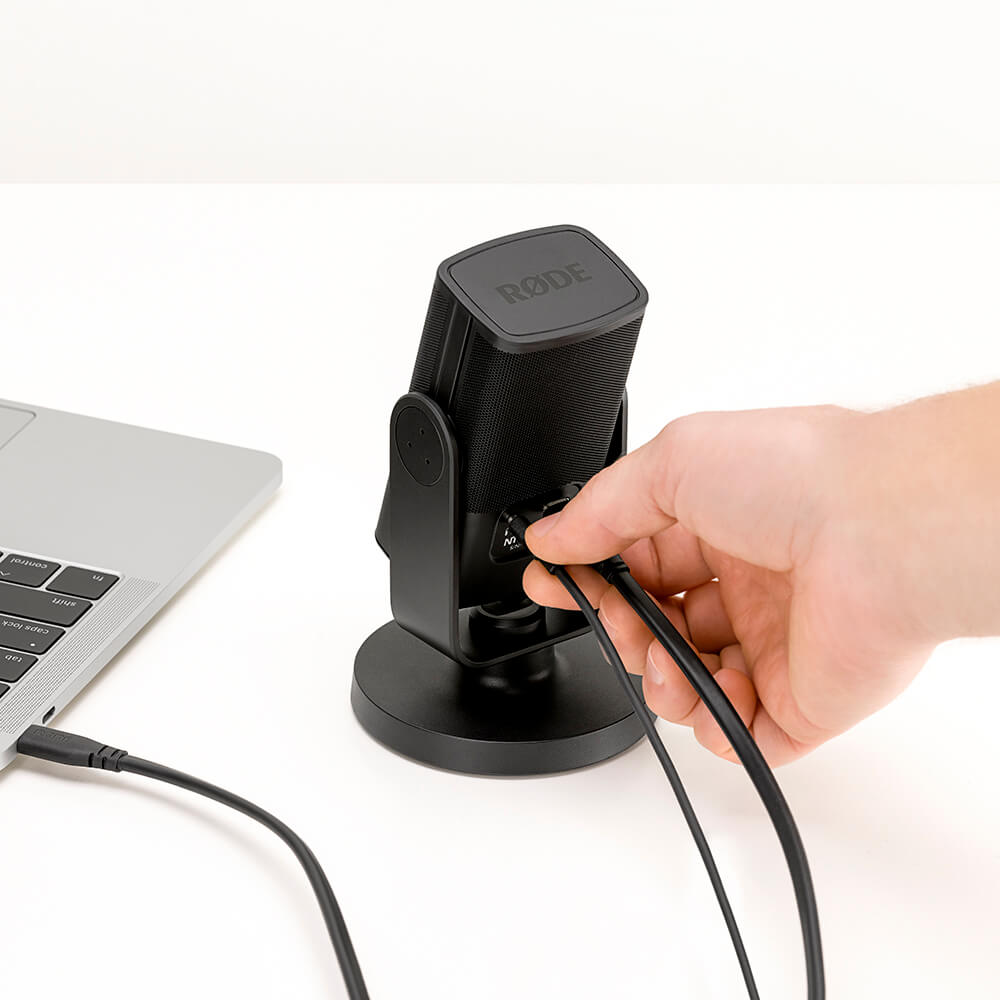
The included cable is USB-C to USB-A: USB-C goes into the microphone, while USB-A goes into the computer. A USB-C socket on the microphone does not mean the supplied cable plugs directly into a USB-C-only laptop.

If your computer only has USB-C ports, allow for an appropriate data-capable cable or adapter separately. Check support for your exact computer, operating system and recording app before buying; matching the plug shape alone is not enough.
Optional RØDE Connect processing is a separate software consideration. If you want those features, check the app’s current requirements and whether you can install it. Do not assume every processing feature is available simply by connecting the microphone.
Choose it for monitoring you will use
Direct monitoring sends the microphone’s audio to connected wired headphones without routing that monitoring signal through the computer’s processing. That can be a useful reason to choose the Mini if listening to your own voice while recording is part of your routine.
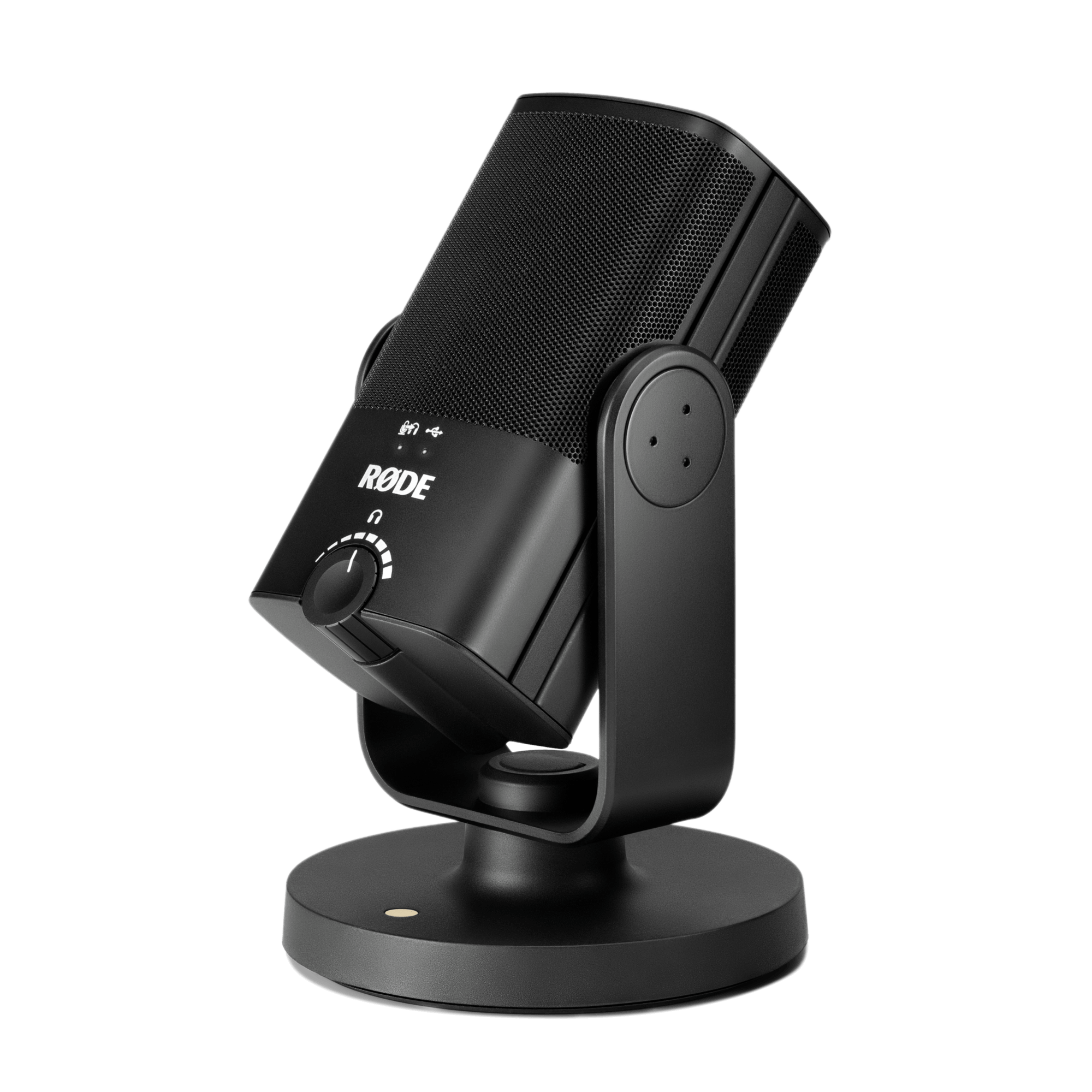
The front knob controls headphone output volume, not the recording input level. Pressing it turns direct monitoring on or off; it is not a microphone-mute button. Recording input level is controlled on the computer or recording device.
Headphones are not included. Check that the headphones you intend to use suit the 3.5 mm output. Direct monitoring also does not guarantee an echo-free result in every app: software monitoring can send a second copy of your voice back to the headphones.
Decide where the microphone will sit
The included magnetic desk base gives the Mini a tabletop position, and the swing mount lets you change its angle. That adjustment does not raise the base to mouth height. Picture the microphone alongside your keyboard, screen and notes before deciding that the desk position will work.
Room sound, typing and the distance between your mouth and the microphone still matter. Buying a separate mic does not remove those considerations. If your current headset already works where you sit, a tabletop microphone may add equipment without solving a problem you have.
Count a separate arm only if you need one
The magnetic base can be removed to use a compatible stand or studio arm. The mount has a 5/8-inch thread, and a 3/8-inch adapter is supplied. An arm is not included, and those thread sizes are not a promise that every arm or desk mounting arrangement will fit.
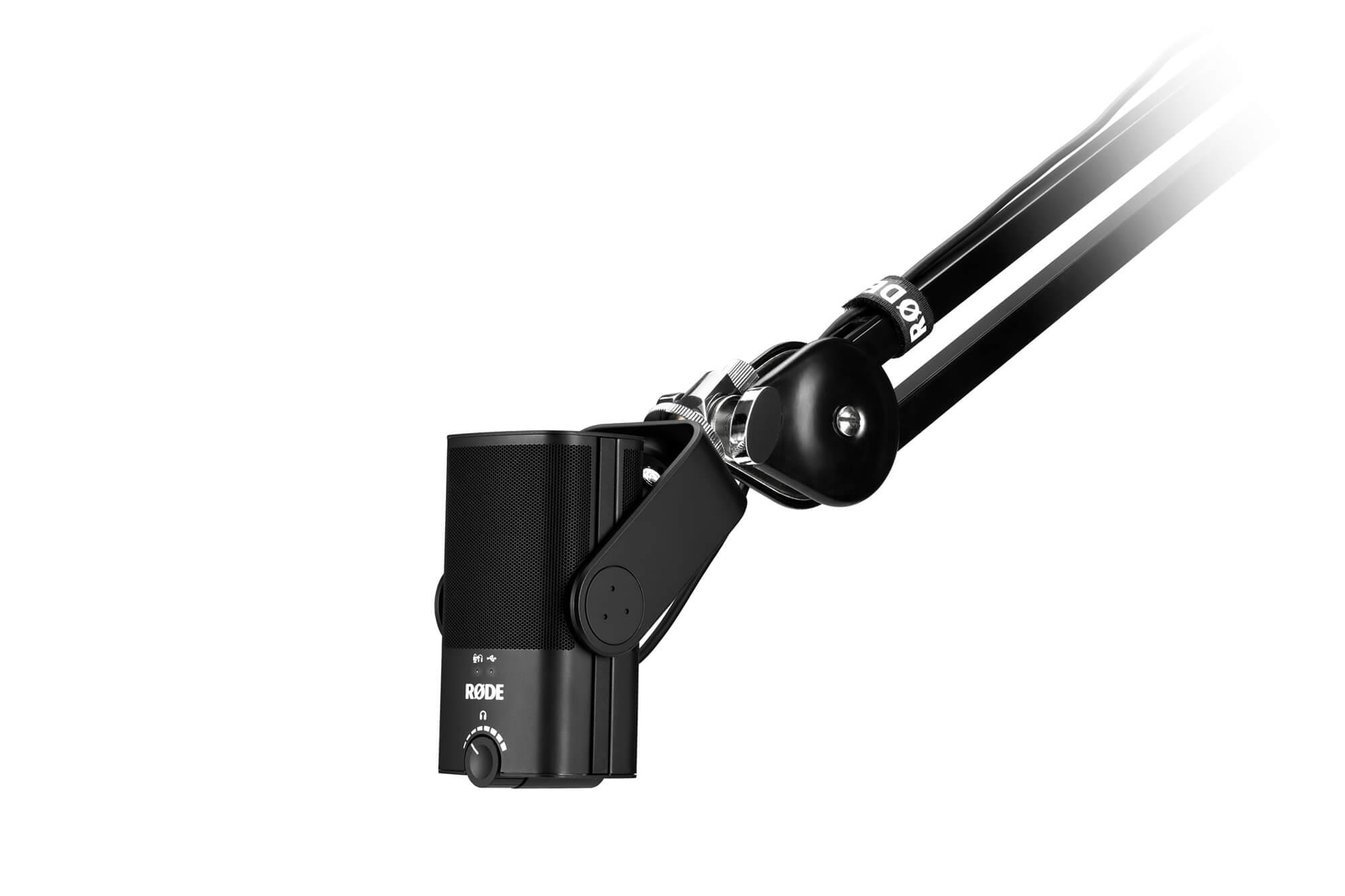
If a separate support is necessary for your planned position, check its compatibility, reach and desk attachment before buying. Include that additional piece in the decision rather than treating an arm-mounted product photo as the contents of the box.
Buy for the recording routine you already have
Consider the Mini if you regularly record one person at a computer, want direct wired-headphone monitoring, and have a suitable connection and microphone position. Keep an adequate headset or built-in mic if it already handles those recordings, or wait if the placement and connection checks are unresolved.
The linked selection is one black RØDE NT-USB Mini, model NTUSBMINI, with its magnetic desk base, USB-C to USB-A cable and thread adapter. It is not the NT-USB, NT-USB+, or an arm-and-headphone bundle. Confirm the selected model and contents before ordering.
View the single black RØDE NT-USB Mini on Amazon
Based on RØDE’s product information and user guide and the matching Amazon listing. These are source product images, not our own photographs. We have not tested this microphone or compared its sound with your existing equipment.
Elige un artículo de esta guía