Carson MM-300: A Pocket Microscope That Sits on the Sample

The MM-300 needs flush placement, not a hovering grip. Understand its separate focus and magnification controls—and what the bare microscope leaves out.
The Carson MicroBrite Plus MM-300 is for looking directly through an eyepiece at a sample beneath its base. For a flat leaf or a piece of printed paper, its key requirement is placement: the microscope must sit flush against the viewing object. It is not a magnifying glass you hold in the air above a subject.
The linked selection is the Black/gray Microscope, model MM-300. It provides 60–120x magnification and LED illumination. It does not include a phone adapter or built-in photo capture.
Start with the surface, not the biggest number
Carson's manual puts the viewing object directly below the objective lens and specifies flush placement. That makes a thin, flat sample a more straightforward match for this design than a bulky object that prevents the base from sitting against the area you want to see.
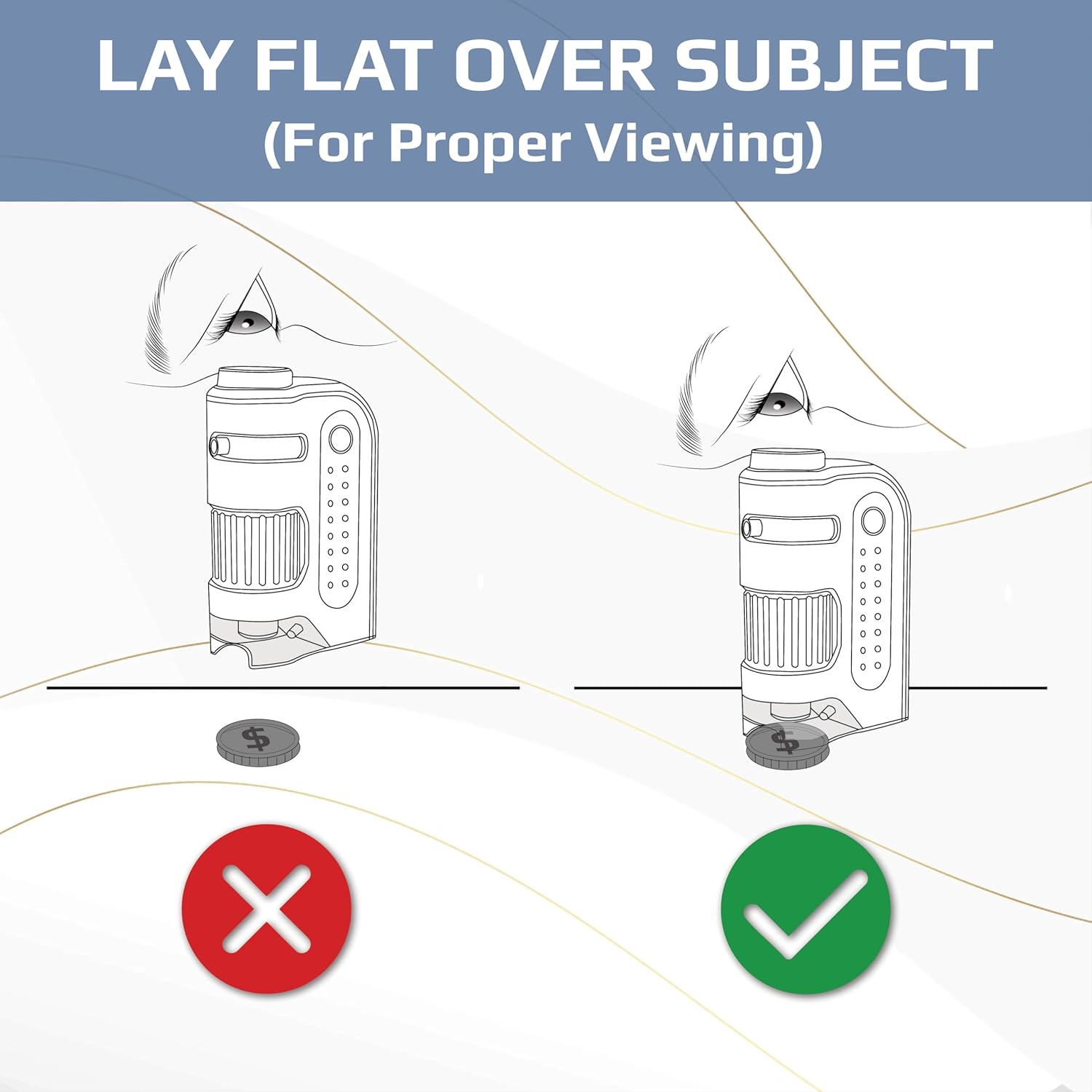
This is the practical buying distinction: can you position the part you want to inspect beneath that small base? Choosing 120x will not remove the placement requirement. Nor does the magnification range tell you exactly what detail every sample will reveal.
Magnification and focus are separate adjustments
The upper dial selects magnification; the lower ring brings the image into focus. Carson directs you to start at the lowest magnification, turn the focus ring slowly, then adjust magnification and refocus as needed. Moving the dial alone is not the whole adjustment.

The LED illuminates the viewing area. It uses one AA battery, which is not included; the manual specifies an alkaline battery. There is no need to buy a phone accessory simply to look through the eyepiece.

The phone-clip picture shows a different setup
Not included: the adapter and phone in the following image. This supplier image demonstrates a separate phone-adapter setup, not the contents of the linked Microscope option. If taking pictures is your main goal, check the exact adapter or bundle and its compatibility with your phone before choosing it.

Do not read the app badges as a compatibility guarantee. This guide has not verified the app or a particular phone fit, and the MM-300 itself does not save photographs.
A few details to settle before checkout
Select Microscope, Black/gray, MM-300 for the bare unit described here, and have an AA alkaline battery ready. Follow the supplied manual: never look at the sun through the microscope or place the lighted microscope directly against a human eye. Remove the battery before extended storage.
This guide covers everyday close observation of flat samples, not medical identification or food-safety testing. It is based on Carson's instructions and supplier imagery, not hands-on testing of image quality.