iOttie Easy One Touch 5: Phone Clamp, Cable Magnet, Different Jobs

Side arms hold the phone; the magnet organizes a cable. The Easy One Touch 5 also pairs a reusable suction cup with a dashboard pad you cannot re-stick.
The iOttie Easy One Touch 5 holds your phone with mechanical side arms—not a magnet. Its magnetic feature keeps a charging cable near the cradle. The other distinction to understand before buying is under the mount: the suction cup can be cleaned for reuse, but the adhesive dashboard pad is a one-use attachment.
This guide covers the Signature / Dash & Windshield option on the linked Amazon listing, whose model field identifies Easy One Touch 5. It is a phone holder, not a wireless charger.
The phone clicks into a cradle, not onto a magnetic puck
The release bars open the side arms. Pressing the phone against the center trigger closes those arms around it. That means a magnetic phone case or metal attachment plate is not what holds the phone in this mount.

The adjustable bottom foot supports the phone from below. Before choosing this cradle, check the fit of your actual phone and case—including whether the arms interfere with side buttons and whether you can reach the charging port. The adjustable foot is not proof that every thick case fits. Install, adjust, and place or remove the phone only while parked.
The cable magnet solves a smaller, separate problem
A cable tag attaches to your charging cord and meets the magnet at the rear of the cradle’s bottom foot. Its job is to park the loose cable end near the holder rather than leave it dangling elsewhere.
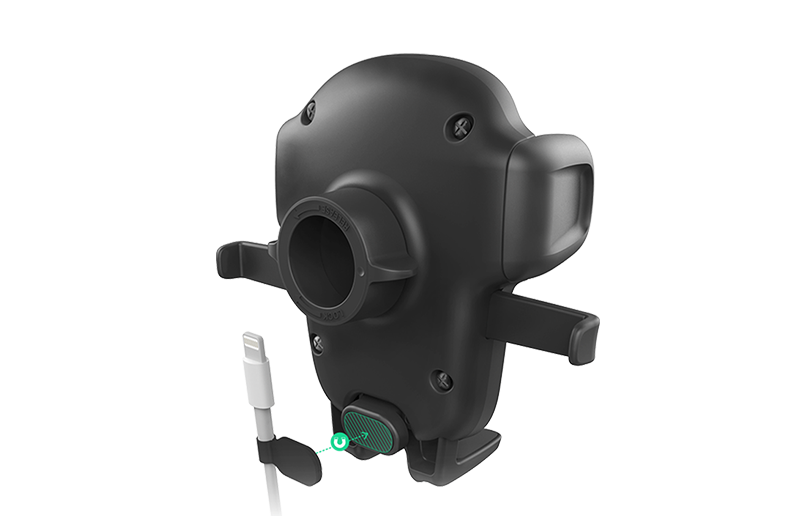
You still need your own compatible cable and power source to charge the phone. There is no wireless charging pad inside this holder. The phone and charging cable pictured are examples, not included accessories.
Moving the mount is not the same as moving its dashboard pad
The manual describes two different attachment parts. The suction cup attaches to the chosen surface or dashboard pad. The separate dashboard pad uses semi-permanent adhesive: once removed, that pad cannot be stuck down again.
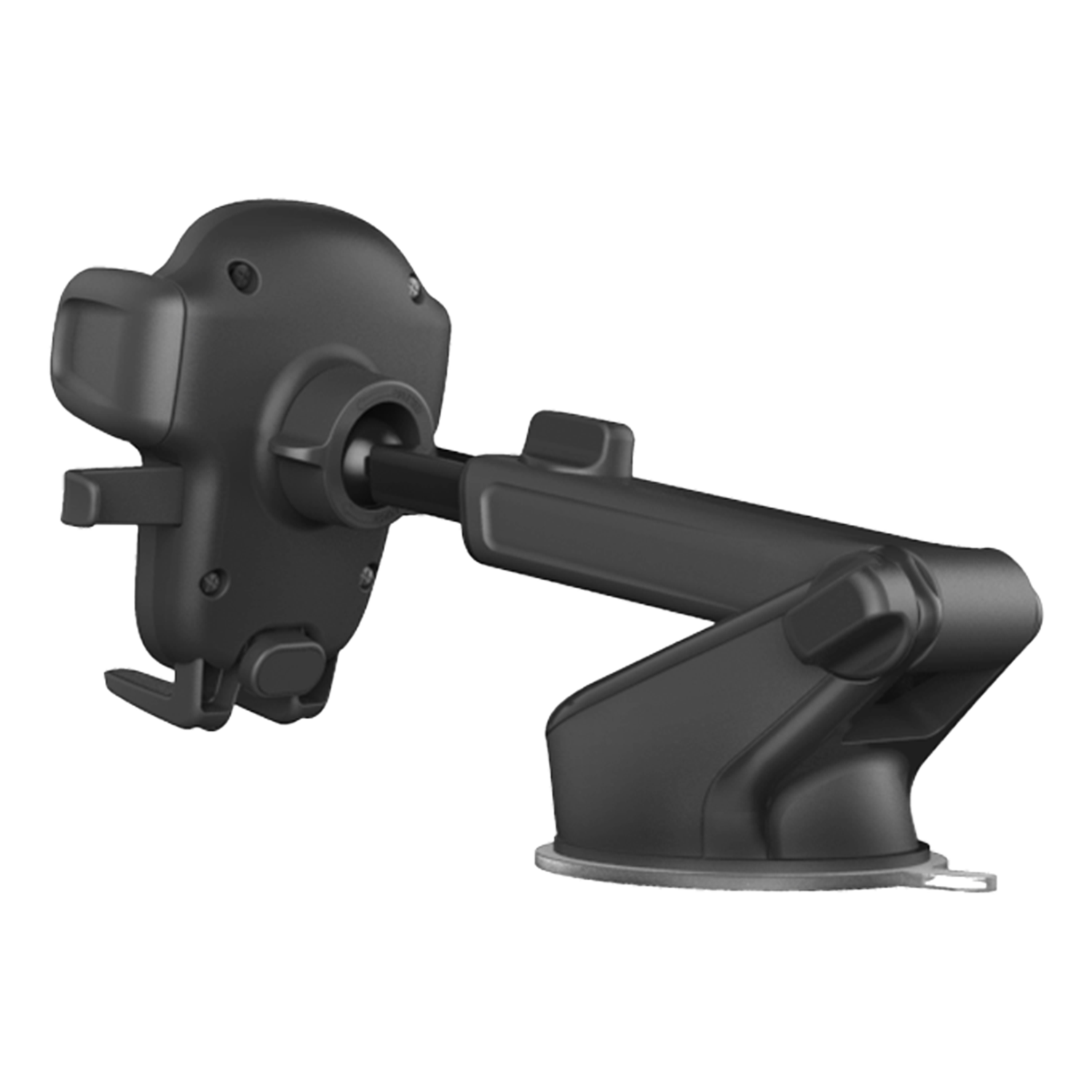
That distinction matters if you plan to move the holder between cars or try several dashboard positions. Do not buy it expecting to peel up and reuse the adhesive pad each time. The manual allows the suction cup to be rinsed under warm water and air-dried to restore its tack; it does not give the adhesive pad that same reuse option.
For dashboard installation, choose a suitable flat location and follow the supplied preparation and attachment instructions. iOttie advises against adhesive-pad placement on leather to avoid dashboard damage. Its windshield option is a separate installation method, not a workaround that automatically suits your vehicle.

Before attaching anything, check your vehicle manual and the requirements where you will use it. Keep the mount and cable clear of your view, controls, airbags and occupants. Follow the mount’s full instructions; the photos here do not establish an approved location in your car.
The useful combination is a mechanical phone cradle plus cable organization. The installation tradeoff is the one-use dashboard pad, even though the suction cup itself can be cleaned for reuse. This guide is based on product documentation and images, not hands-on road testing.
Choose the item from this guide