EPICKA TA-105+: Why Plug Fit Does Not Mean Power Compatibility

A plug can fit while the equipment remains incompatible. Check the TA-105+ voltage, grounding and AC-load exclusions before choosing this travel adapter.
A plug fitting the EPICKA TA-105+ does not mean the attached device can use the power behind it. Its AC socket does not convert voltage, and its manual rules out equipment that requires a ground wire. Those are separate checks—even a charger marked 100–240V can still have a grounding requirement.
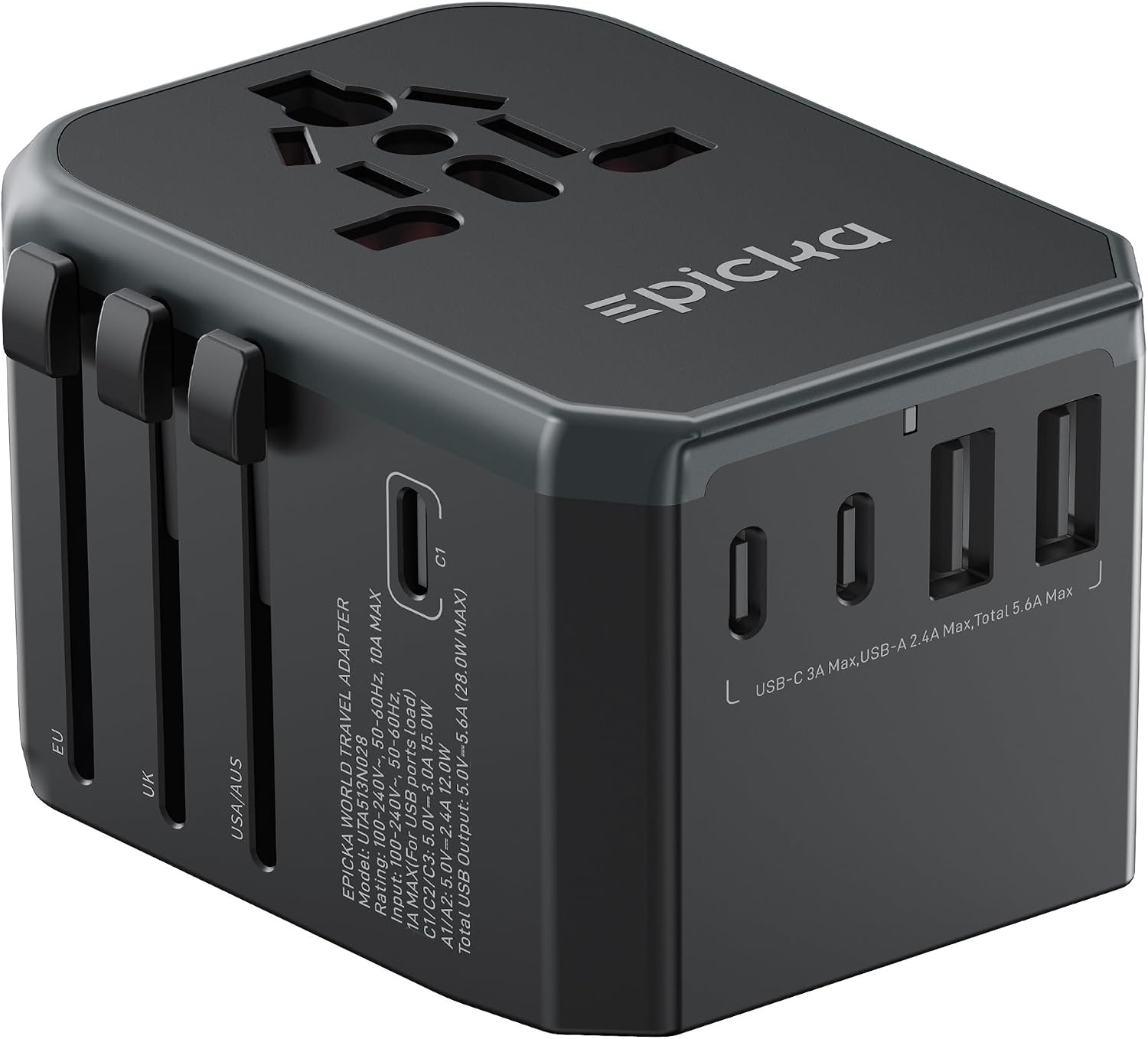
This guide covers the current Grey TA-105+ listing with one AC socket, three USB-C ports and two USB-A ports. Match that configuration before ordering; this is not the older four-USB-A, one-USB-C TA105.
The 120V label that a plug adapter cannot fix
If your appliance accepts only 120V, do not connect it to a 230V supply through this adapter. The AC voltage is not stepped down. The adapter’s own 100–240V rating describes the adapter, not an upgrade to the appliance plugged into it.
Read the input requirements on the equipment and its power supply, then check them against the local supply. A 100–240V, 50/60Hz input label addresses voltage and frequency, but does not settle plug fit, grounding or load limits. If the label or instructions are unclear, ask the equipment manufacturer before choosing an adapter.

A three-prong opening is not a ground connection
EPICKA’s manual excludes appliances that require a ground wire. Do not use the TA-105+ for that equipment simply because its three-prong plug can fit the socket.
The reverse shortcut is wrong, too: two prongs alone do not establish double insulation, voltage compatibility or suitability. Check the equipment documentation rather than judging by its plug. Do not remove or defeat a grounding connection to make an appliance work with this adapter.

Why “2400W max” is not the buying rule
The main specification gives a 10A AC maximum, with 1000W at 100V and 2400W at 240V. But the same manual adds narrower restrictions:
- For the Type C European AC plug, it recommends an AC output current of 2.5A. That is a wall-plug restriction, not the rating of a USB-C port.
- It excludes appliances over 1600W even when they are labeled dual-voltage.
- It excludes Dyson products.
Do not use the higher headline rating to override those restrictions—or treat an appliance below 1600W as automatically compatible. Voltage, grounding and the applicable plug/load restrictions must all be resolved. This is not a high-power appliance recommendation or a guide for selecting power equipment for medical devices.
The USB ports are a separate, shared 28W supply
The built-in USB output is specified at 5V: up to 3A/15W for each USB-C port and 2.4A/12W for each USB-A port, with 28W total shared across all five. Adding the individual maxima would misrepresent what the adapter can supply at once.

Those USB-C sockets are not a promise of USB Power Delivery, laptop charging or a particular fast-charge mode. Match the device’s charging requirements and cable to the documented output. We have not measured charging speeds or simultaneous power allocation.
Match the exact unit and the actual outlet
The three-USB-C/two-USB-A layout is a useful version check. The listing’s hand-held image also shows the housing dimensions; it does not establish clearance at a particular hotel outlet.

Confirm the actual socket at your destination with your accommodation and check that socket against the current TA-105+ documentation or EPICKA support. We are not using the manual’s destination table as a compatibility guarantee: its Appendix A names TA105S rather than TA-105+.
The manual limits this adapter to temporary indoor use. Keep it away from moisture, do not handle it with wet hands, and do not use a damaged housing. Follow the full supplied instructions.
The reason to consider this version is its combination of a travel AC plug adapter and five shared-power USB ports—not a solution for incompatible voltage or required grounding. Resolve those exclusions for the equipment you plan to bring before buying. This guide uses product documentation and supplier images, not hands-on electrical testing.
Choose the item from this guide